

How To Test Accessibility Of A Website Without Overlay Shortcuts
Many website owners want to test accessibility of a website quickly, especially when they are worried about compliance, user experience or legal exposure. That is understandable. The problem is that many overlay tools are promoted as fast fixes, even though they often sit on top of inaccessible code rather than fixing the problems underneath. This article explains why overlays can cause harm, what they can and cannot do, and why real human review is the safest way forward.
Overlays are one of the most misunderstood areas of digital accessibility. Some are simple interface features built into a website. Others are third party tools that claim to solve accessibility problems through a single line of code. Those claims sound attractive, especially to organisations under pressure, but they can create a false sense of protection. If you want to test accessibility of a website properly, you need to understand what users actually experience, not just what a tool claims to change.
What Are Website Overlays?
An overlay is an element that sits on top of a web page. It may be used to add extra functionality, provide controls or change how part of a page behaves. Common examples include:
- Live chat widgets in the corner of the screen
- Image lightboxes that open over the page
- Sticky menus that follow the visitor while they scroll
- Pop up notifications or banners
- Toolbars that allow visitors to change colours, contrast or text size
These features are not automatically bad. Some can be useful when they are designed, coded and tested carefully. The problem starts when overlays are used as a shortcut to avoid fixing accessibility barriers within the website itself.
A visitor using a screen reader, keyboard, voice control or magnification software may experience an overlay very differently from a mouse user. A pop up may interrupt navigation. A toolbar may not be announced clearly. A floating button may block important content. A widget may trap keyboard focus. These are the kinds of issues that only become clear when you test accessibility of a website with real people and real assistive technology.
Why Shortcut Tools Often Fail Disabled Users
Third party overlays often promise far more than they can deliver. Some claim to make a website compliant almost instantly. That is a dangerous message, because accessibility is not a cosmetic layer. It depends on the structure, code, content, navigation and behaviour of the whole website.
An overlay cannot reliably repair poor heading structure. It cannot rewrite confusing content. It cannot make a broken form easy to complete. It cannot make every custom control behave correctly with assistive technology. It cannot understand whether alternative text is meaningful in context. It may change how something appears visually, but that does not mean the original barrier has been removed.
The Overlay Fact Sheet gives a useful explanation of the risks associated with these tools. The key issue is simple. If the underlying website is inaccessible, adding another layer on top can introduce new problems while leaving the original ones in place.
This is why it is so important to test accessibility of a website properly before relying on any tool that claims to solve everything. The question is not whether the overlay exists. The question is whether disabled people can use the website successfully.
What Built In Accessibility Features Can Do
There is an important distinction between a third party shortcut and a carefully built website feature. Some built in controls can genuinely help users when they are part of the site itself and have been reviewed properly.
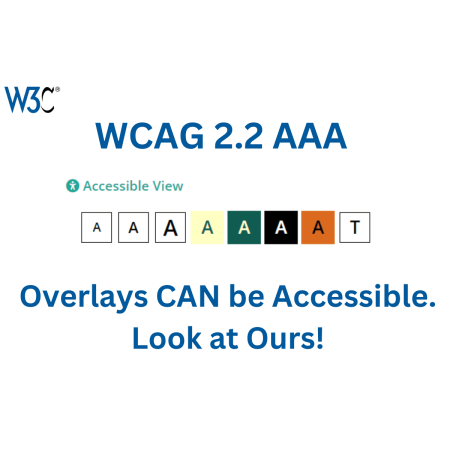
For example, our own website includes an accessibility toolbar that allows visitors to change foreground and background colours, adjust text size and remove styling. These options can support people who are visually impaired, neurodivergent or affected by colour and layout choices.
The difference is that this kind of feature must be treated as an enhancement, not a replacement for good accessibility. It should not be used to excuse poor design or broken code. It should support users who want more control over their experience.
Inclusive design means considering a wide range of human needs from the beginning. The Nielsen Norman Group guide to inclusive design explains why digital products should be created with human diversity in mind. That principle matters here. A useful accessibility feature should be designed around real people, not marketing claims.
How To Test Accessibility Of A Website Properly
If you want to test accessibility of a website properly, start with the basics but do not stop there. Automated tools can identify some obvious issues, such as missing form labels, low contrast or empty buttons. They are useful as an early warning system, but they cannot judge the full user experience.
A proper review should include manual checks, assistive technology and real user journeys. That means checking whether visitors can navigate the site with a keyboard, understand the page structure with a screen reader, complete forms, interact with menus, read content comfortably and recover from errors.
It also means checking the things that automated tools cannot understand. Does the page make sense when read aloud? Is the link text meaningful? Is the form error message helpful? Does the menu behave predictably? Does the overlay interrupt the user journey? Can someone complete the most important tasks without confusion?
At Access by Design, our website audit service is carried out with disabled testers using real assistive technology. That gives organisations a much clearer picture of what is actually happening when disabled visitors use their website.
What Overlay Problems Should You Look For?
When you test accessibility of a website that uses overlays, there are several common issues to watch for. The overlay may appear visually useful, while creating hidden problems for assistive technology users.
Check whether the overlay can be reached using only a keyboard. Make sure keyboard focus is visible and moves in a logical order. Test whether the overlay can be closed without a mouse. Review whether screen reader users are told when the overlay opens, what it contains and how to leave it.
You should also check whether the overlay blocks important content, covers buttons, interrupts forms or makes mobile use harder. Some overlays behave differently on different screen sizes, which can create new barriers for people using zoom, magnification or mobile accessibility settings.
Colour and text controls need careful review too. If a toolbar changes visual settings, it must not break the layout, hide content or make controls unreadable. Any feature designed to help users must be tested with the users it is meant to support.
Why Human Review Matters Most When You Test Accessibility Of A Website
The most important reason to test accessibility of a website with real people is that accessibility is about actual use. A report from a tool may show useful clues, but it cannot tell you how it feels to be blocked, confused or forced into a dead end.
Disabled testers bring lived experience, technical knowledge and practical judgement. They can explain not only what is wrong, but why it matters. That makes their feedback far more useful than a simple pass or fail result.
A screen reader user can tell you whether the page structure makes sense. A keyboard user can tell you whether the navigation works. A voice control user can reveal whether buttons and labels are usable. A neurodivergent user can identify distractions, overload and layout issues that others may miss.
This is why shortcuts are risky. They promise simplicity, but real accessibility requires evidence. You need to know whether people can use the website, complete tasks and access the same information as everyone else.
Final Thoughts When You Test Accessibility Of A Website
Overlays do not automatically make a website accessible. Some built in features can help users when they are designed properly, but third party shortcuts often create a false sense of safety. They may leave serious barriers untouched while adding extra complexity for disabled visitors.
If you want to test accessibility of a website, the safest approach is to combine technical checks with real human review. Look at the code, the content, the structure, the navigation and the user journeys. Most importantly, involve disabled people who use assistive technology every day.
We believe every website can become more inclusive through thoughtful design, real feedback and a commitment to fixing problems properly. Shortcuts may look tempting, but disabled users deserve better than a layer placed over broken foundations.
Contact Access by Design if you would like us to review your website and help you understand the best next step.
Would you like to speak with people
who understand inclusive web design?
Whether you are planning a new website, reviewing an existing platform or trying to understand your accessibility obligations, we would love to help.
Please get in touch to discuss your project, accessibility goals or digital challenges.